Chrome Extension
v26.7.26 Update
Never lose a great AI prompt again.
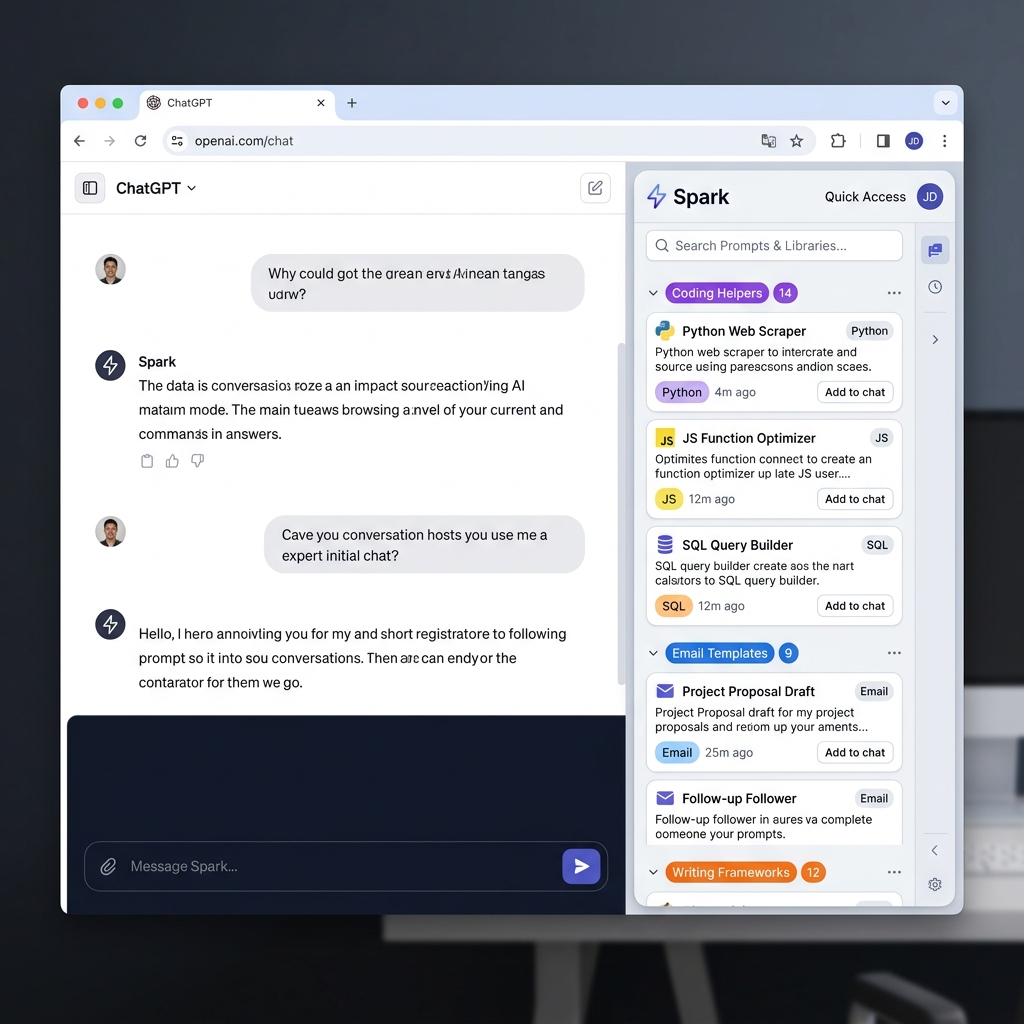
A personal prompt library with smart organisation. Open your sidebar, search instantly, and deploy templates without leaving your active chat window.
A personal prompt library with smart organisation. Open your sidebar, search instantly, and deploy templates without leaving your active chat window.
Everything your workflow needs, right at your fingertips.
Instantly pull up your personal library without leaving your current webpage. Spark adds a smooth, sliding sidebar overlay that stays tucked away until you need it. Collapse it into a discreet button or resize it to match your ideal workspace.
The ultimate time-saver. Click any saved snippet and Spark automatically injects the text directly into the active input field of major AI platforms. A clipboard copy option is also available for full compatibility with every site.
Customise your workspace with folder collapse/expand toggles, quick navigation chips to instantly jump to folders, and a newly expanded color palette (including Yellow, Orange, Green, and Cyan) for perfect visual structure.
Find exactly what you need in milliseconds. Type a few keywords into the built-in search bar to instantly filter your entire collection — no scrolling, no hunting.
Protecting your creative assets is our priority. Every prompt and template you save stays exclusively within your browser's local storage.
Your snippets are stored securely in your local browser. We do not operate central servers to collect or store your data.
We do not track your browsing history, monitor your keystrokes, or collect analytics on your AI interactions.
Spark only requests the permissions strictly necessary to inject the sidebar and paste your text into active input fields.
Your data belongs entirely to you. Export it at any time, on any device. We never see or process your files.
Have questions about Spark? We have answers.
Spark lets you save prompts from anywhere and organize them instantly. You can build custom folders, apply color-coding, and favorite your top snippets so you can retrieve the exact command you need in seconds. The extension stores all prompts locally in your browser with zero external tracking.
Spark provides a 1-Click Auto-Paste feature that injects templates directly into active input fields on any AI platform. If a site isn't fully compatible, a manual copy button is also available to ensure universal website compatibility.
Yes. Spark lets you download your entire library into a secure backup file with a single click. You can then import it on a new device to instantly migrate your workflows. This is perfect for switching browsers or setting up a new computer.
No. Spark stores all text locally in your browser with zero external tracking, telemetry, or data collection. Your proprietary prompts and templates remain completely secure and private.
Yes. Spark is platform-agnostic. It works on most of the AI websites with a text input field. The sidebar stays accessible whether you're on chat.openai.com, claude.ai, gemini.google.com, and a lot more. If it does not work, feel free to use the 'Contact Us' link and let us know. We will add support for it. The auto-paste feature intelligently detects the active input field on these major platforms and injects your prompt with one click.