Everything runs entirely in your browser. Your comments are never sent, stored, or read anywhere else. Complete privacy by design.
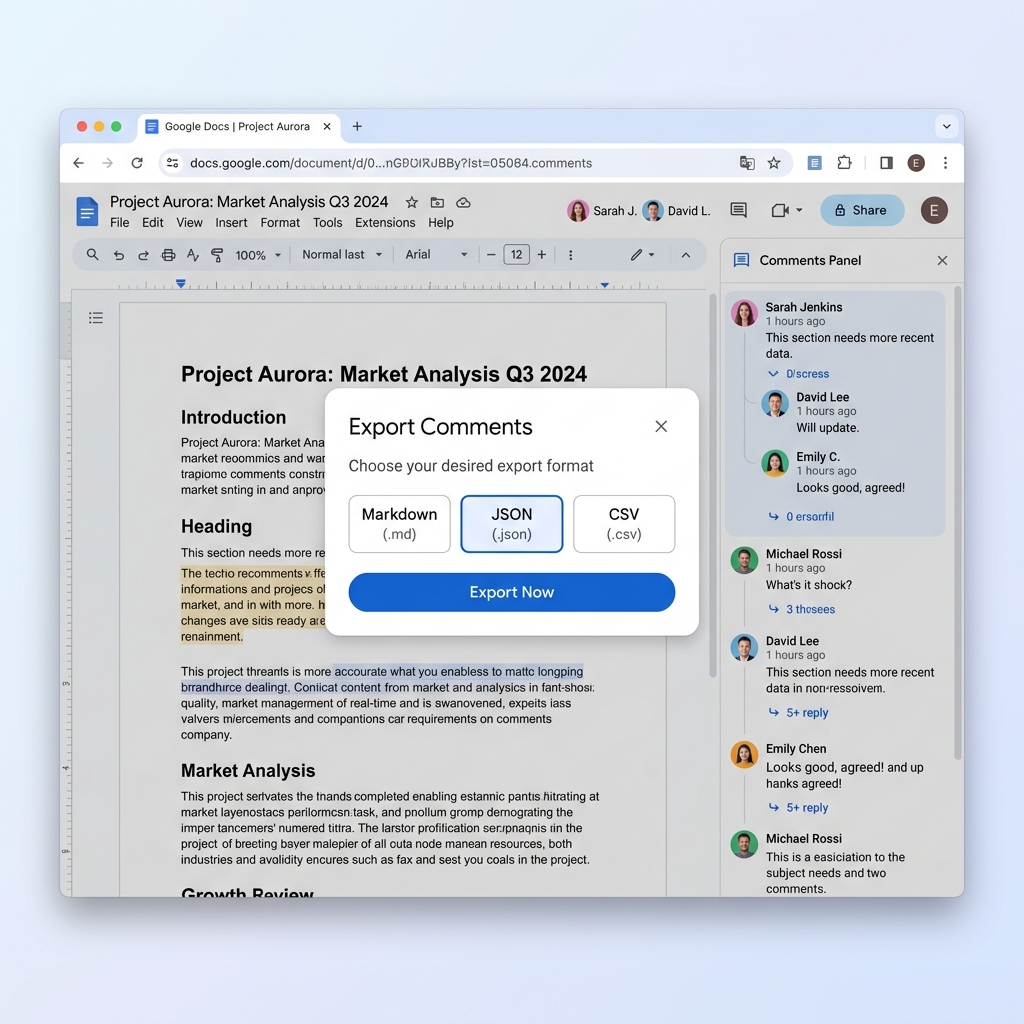
No complex setup or manuals required. Just open, click, and save.
Go to any Google Doc that has comments you want to extract.
Click the extension icon in your toolbar, or use the floating export button on the side of the page.
Select your preferred format (Markdown, JSON, or CSV) and click download to get your file instantly.
Choose and grant access only to the specific file you want to export. We never require access to your entire Google Drive—keeping your data safe.
Isolate specific feedback instantly. Search comments by keyword, or filter them by author, resolution status, and replies before exporting.
Keep the flow of discussion intact. Exports retain the exact structure of comment threads, showing all replies in their correct order.
Extract timestamps, author details, links, and resolution status automatically for clean project audits and reviews.
Save your feedback in the format that works for you. Use Markdown for editing, CSV for spreadsheets, or JSON for custom databases.
Move or collapse the floating export button anywhere on your screen so it never blocks your writing or reading flow.
See your comment threads and metadata directly inside the extension preview before downloading your file.
Have questions about Docs Comment Exporter? We have answers.
With the Docs Comment Exporter extension, you can export Google Docs comments to CSV, Markdown, or JSON in one click — no setup, no waiting. The extension provides instant comment detection and preview before you download.
No. Unlike many other tools, this extension now lets you explicitly choose and grant access only to the specific file you want to export, instead of requiring access to your entire Google Drive. This was a direct response to user feedback on security.
Yes, as long as you have at least "commenter" access to the document. The extension reads the comments that are visible to you based on your permissions. Everything runs entirely in your browser — your comments are never sent, stored, or read anywhere else.
Yes. The export includes full metadata for comments and threads — content, HTML content, timestamps, author emails, and thread structure. You can also filter by author, resolution status, and replies before exporting.
Google Docs doesn't have a built-in feature that lets you download all comments. The only native options are copying comments manually or using Google Apps Script with coding. This extension eliminates the need for scripting or coding, giving you one-click export in multiple formats.
Turn YouTube videos into organized Notion notes with screenshots, transcripts, and timestamped notes.